
Good Works on your TV.
Install the app, sign in with your phone, and everything you have rented or bought is there. It takes about two minutes.
Apple TV
Install the app
On your Apple TV, open the App Store, search for Good Works and choose Get.
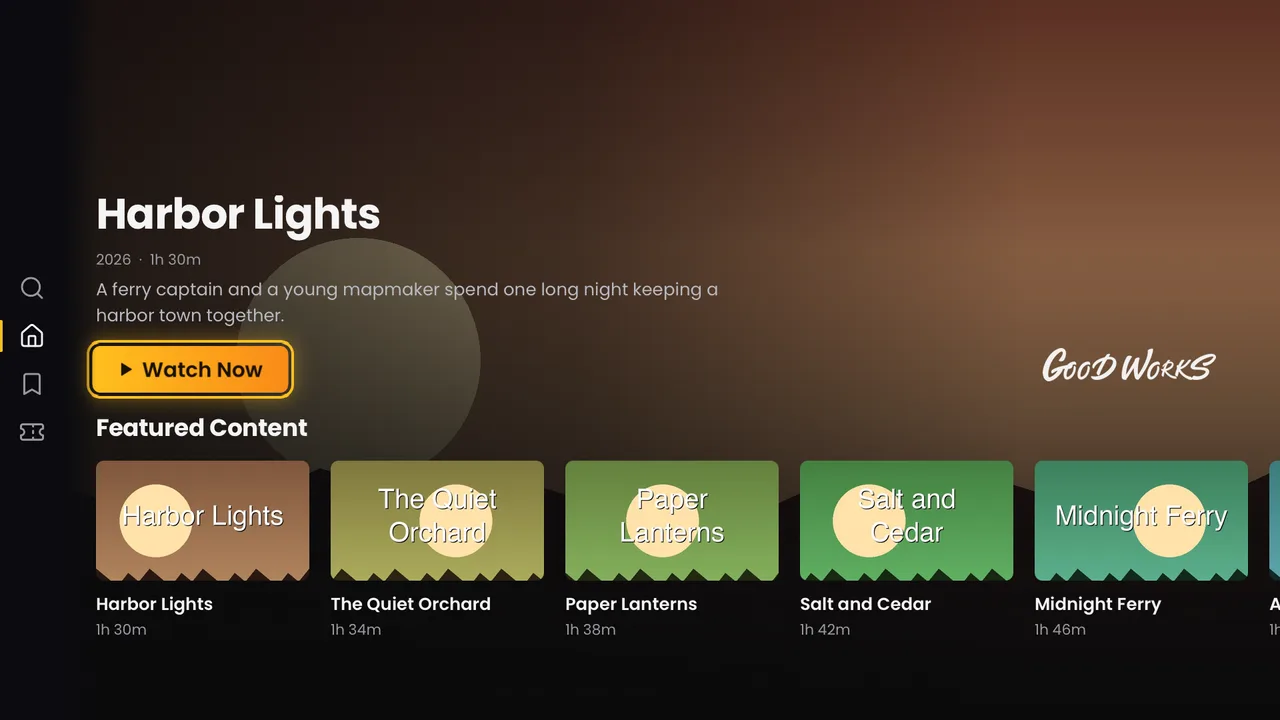
Open it and pick a movie
You can look around without an account. Open a movie you want to watch.
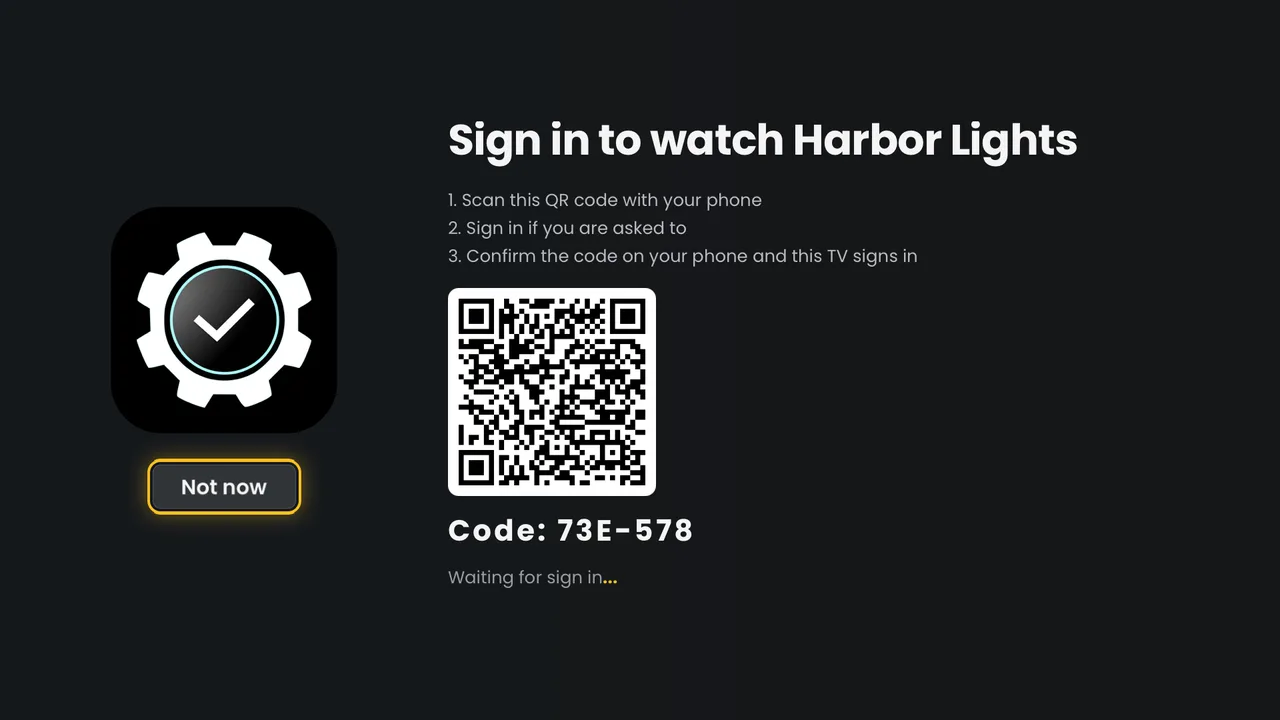
Press Play and find the code
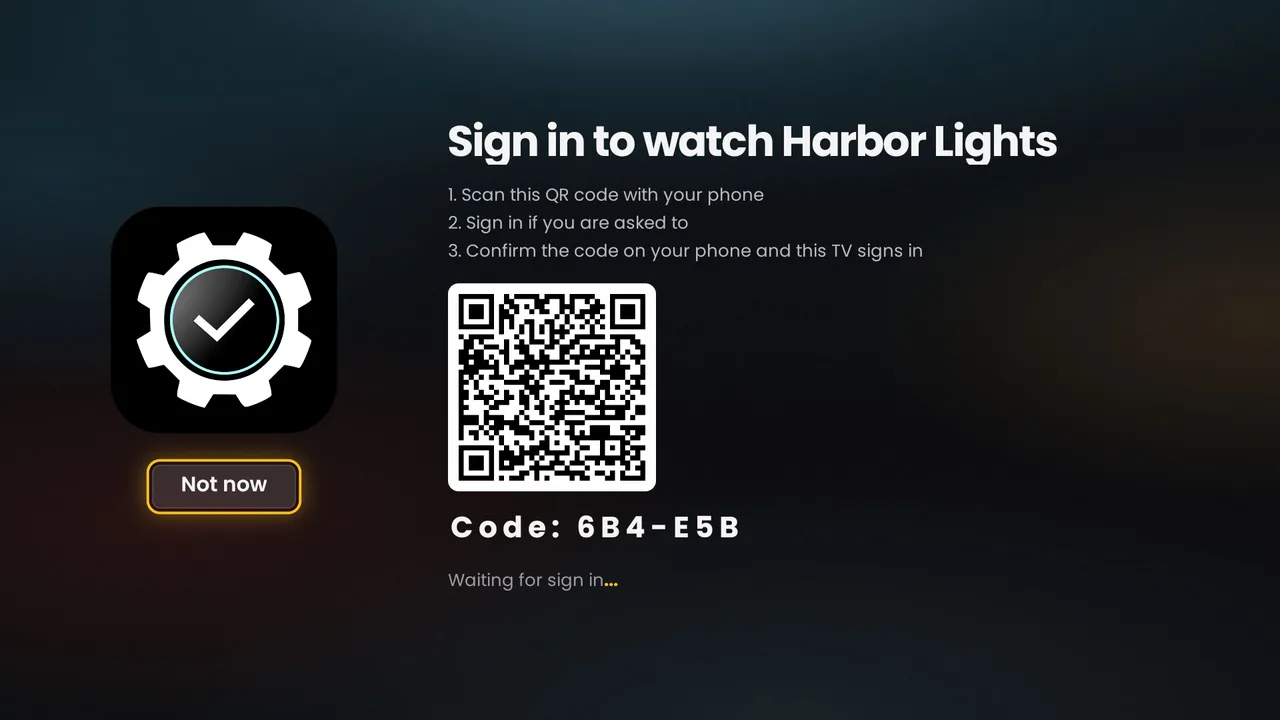
The TV says Sign in to watch and shows a QR code with a short code under it.
Scan the code with your phone
Open the camera on your phone and point it at the code. Tap the banner that appears. Good Works opens, or the website opens if the app is not installed.
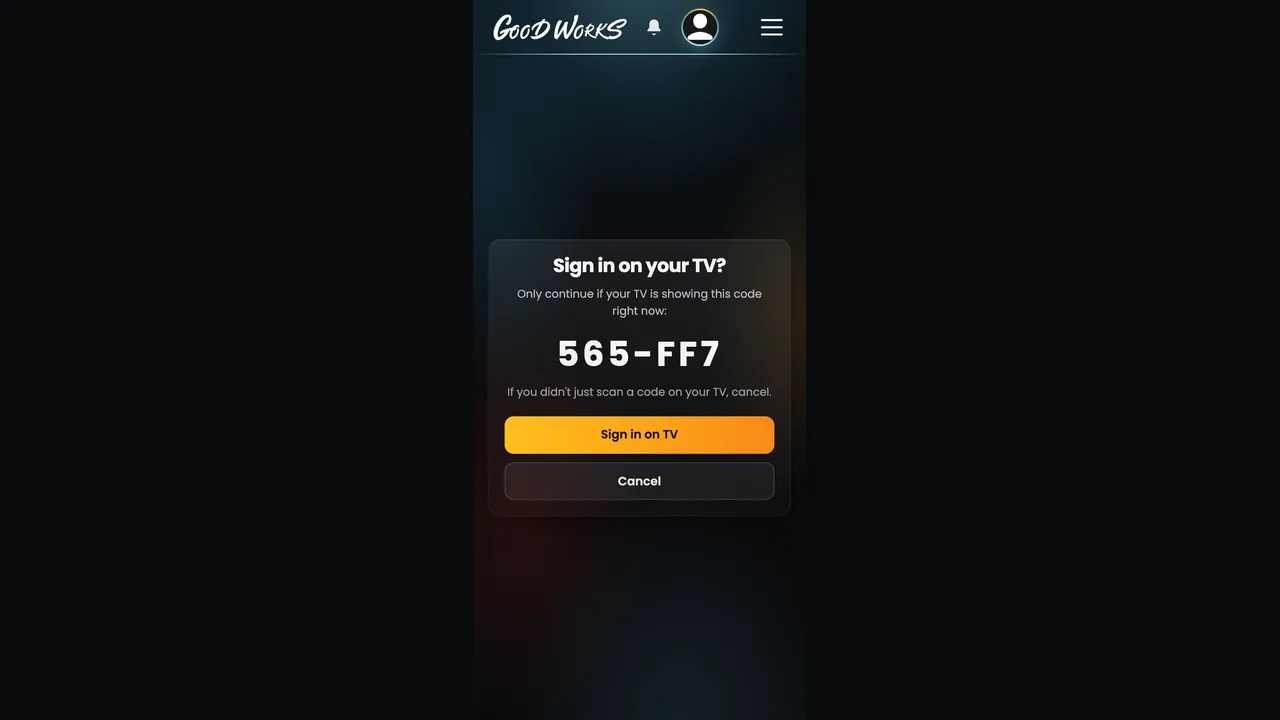
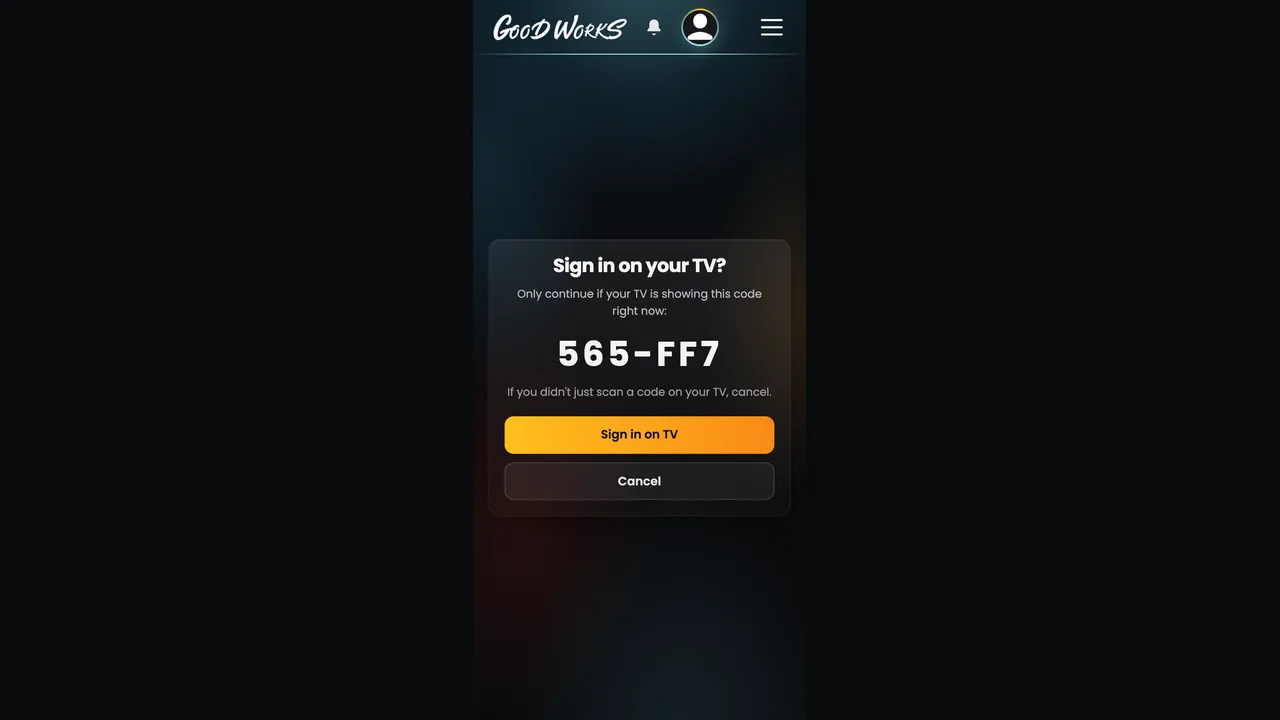
Sign in and confirm
Sign in on your phone if it asks, then check that the short code matches the one on your TV and confirm. Your TV signs in by itself and the movie plays.
Rent or buy a movie
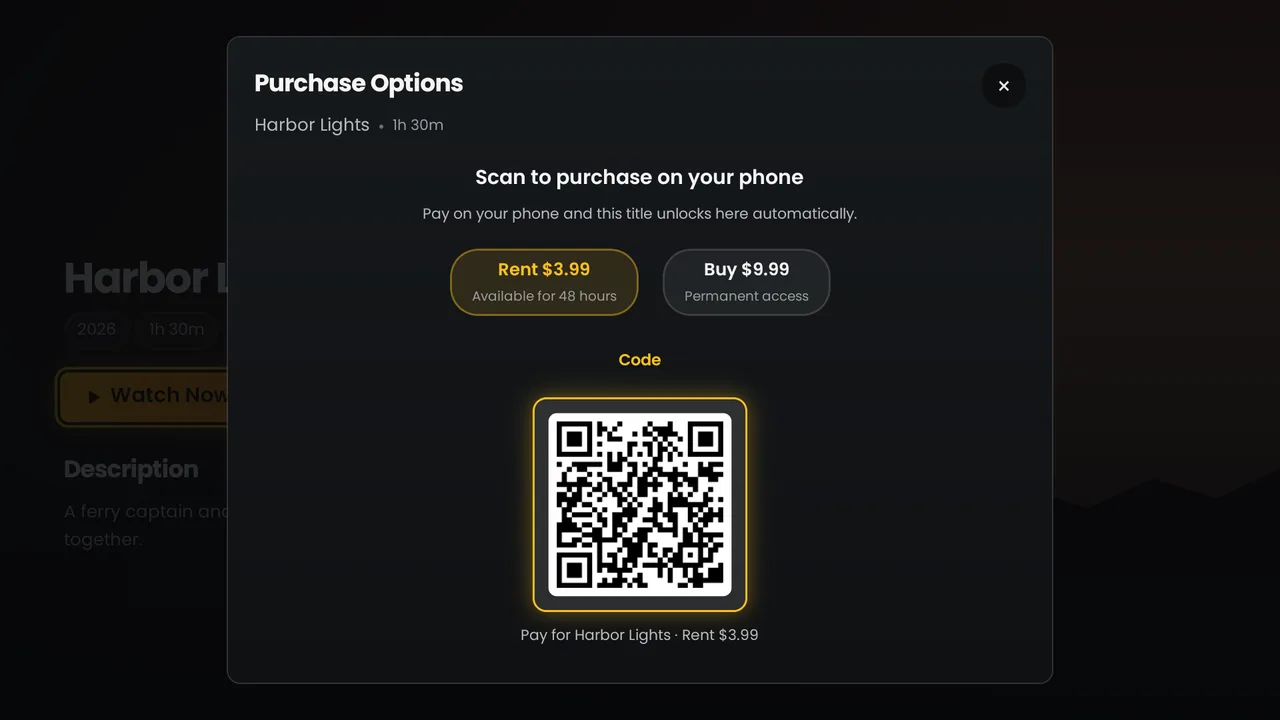
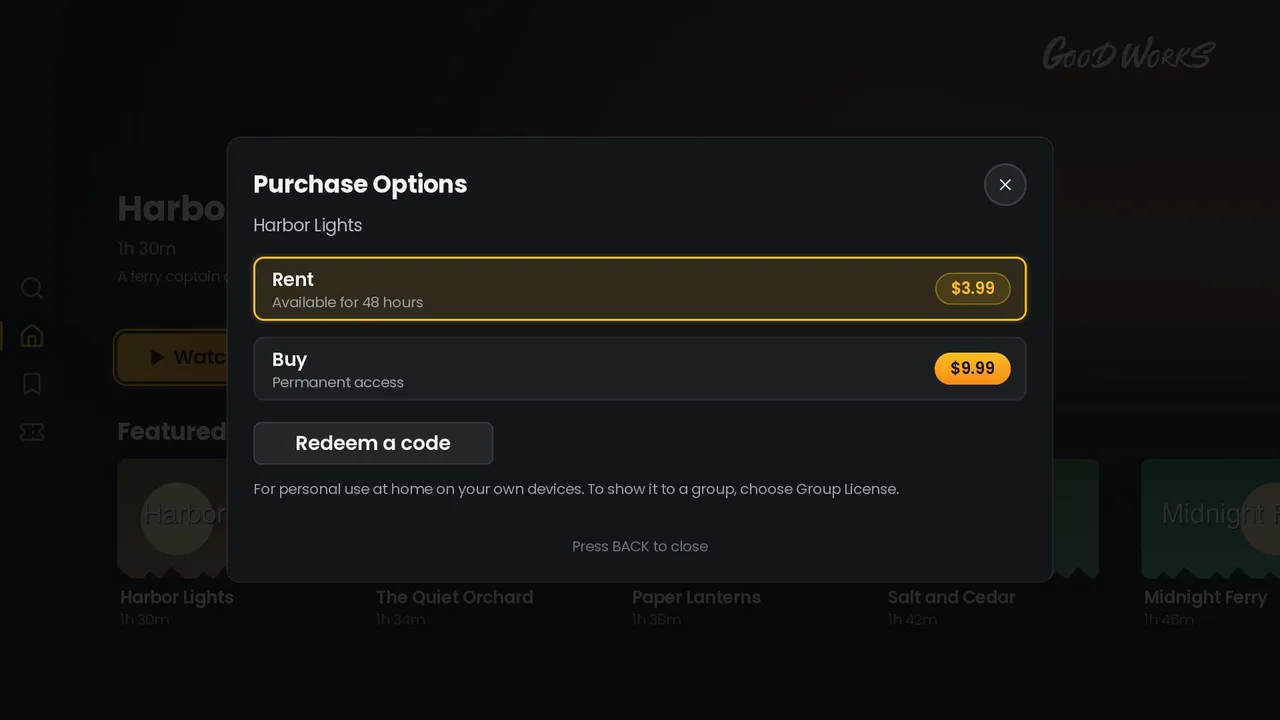
If a movie is for rent or sale, the TV shows Purchase Options. Scan the code with your phone and pay there, or choose Rent on TV or Purchase on TV to pay with your Apple account. Your movie unlocks on the TV by itself.
Android TV
These steps are the same on Google TV.
Install the app
On your Android TV, open the Google Play Store, search for Good Works and choose Install.
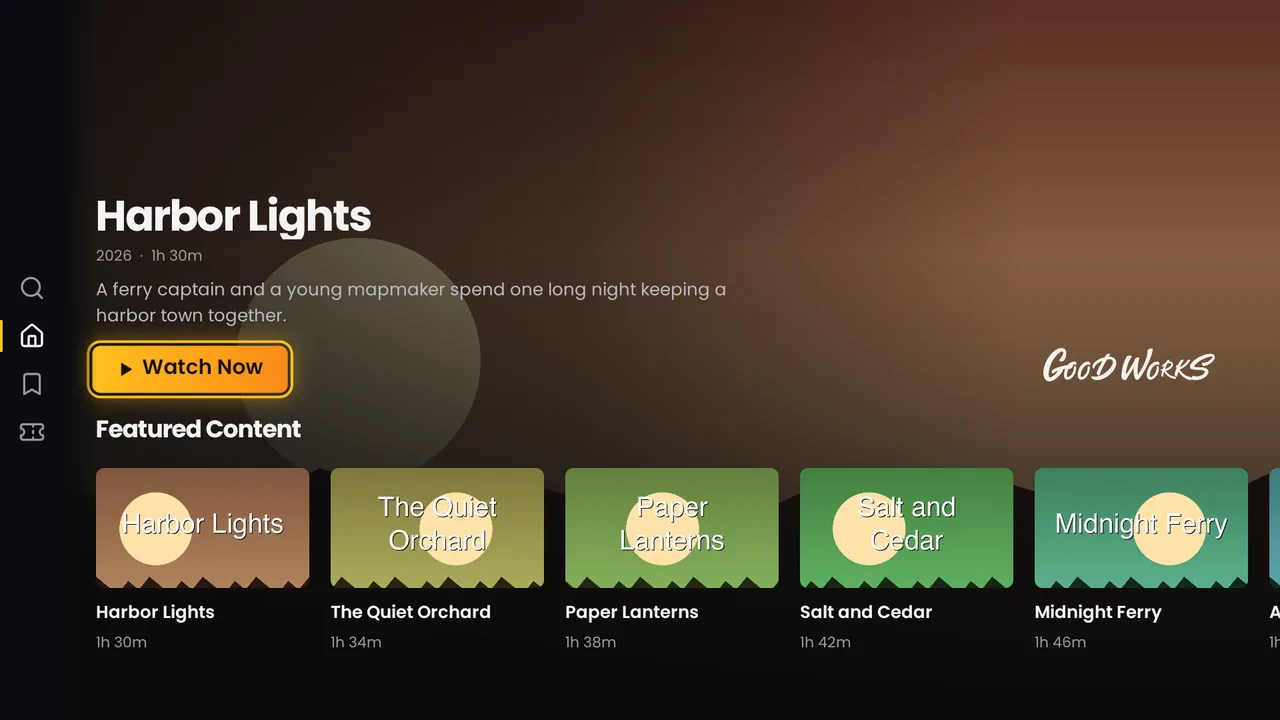
Open it and pick a movie
You can look around without an account. Open a movie you want to watch.
Press Play and find the code
The TV says Sign in to watch and shows a QR code with a short code under it.
Scan the code with your phone
Open the camera on your phone and point it at the code. Tap the banner that appears. Good Works opens, or the website opens if the app is not installed.
Sign in and confirm
Sign in on your phone if it asks, then check that the short code matches the one on your TV and confirm. Your TV signs in by itself and the movie plays.
Rent or buy a movie
Scan the code on the TV with your phone and pay there. Your movie unlocks on the TV by itself in a few seconds.
Roku
Add the channel
From the Roku home screen, open Streaming Channels, search for Good Works and choose Add Channel.
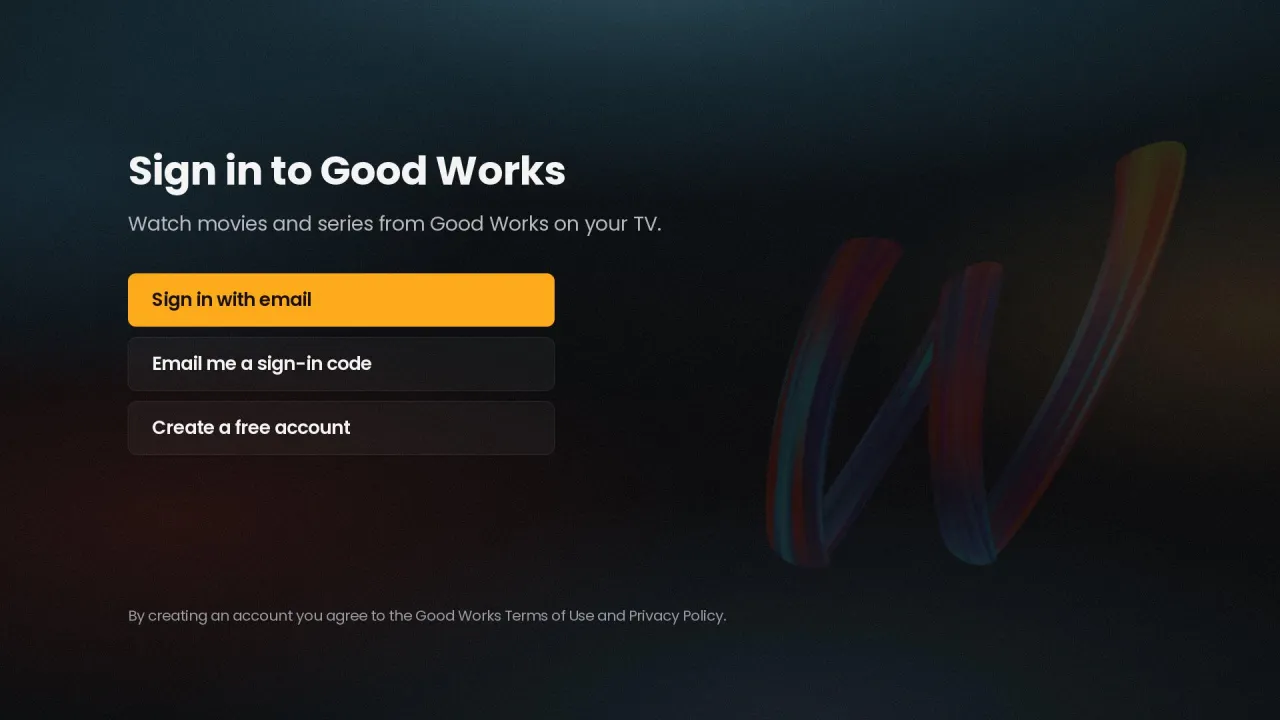
Pick how to sign in
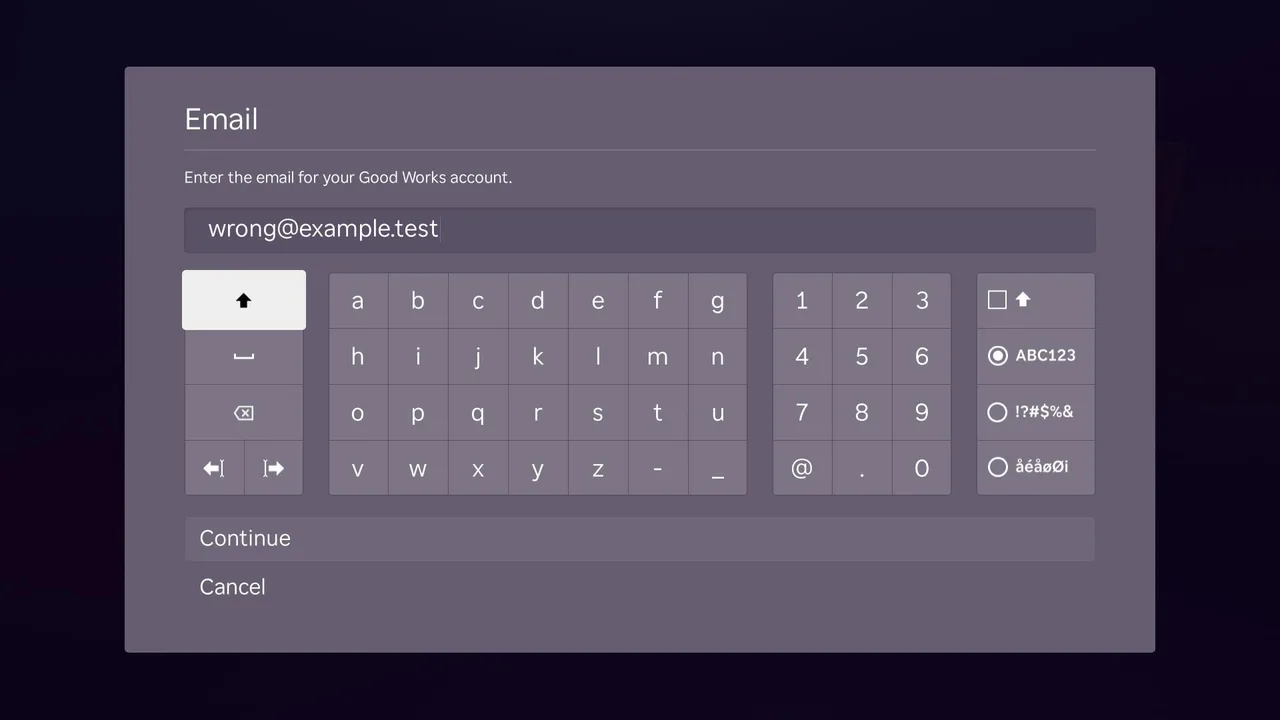
Choose Sign in with email, Email me a sign-in code, or Create a free account.
Enter your details with the remote
Sign in with email asks for your email and then your password. Email me a sign-in code sends a 6-digit code to your email. Open the email on your phone and type the code on the TV. Create a free account asks for your name, your email and a password.
Rent or buy a movie
Choose Rent or Buy, then scan the code with your phone and pay there. Your movie unlocks by itself.
Fire TV
Coming soon
Samsung TV
Coming soon
LG TV
Coming soon
Stuck? Read the FAQ or write to support@goodworkshub.com.


